How to Choose the Right OBD2 Diagnostic Tool: A Buyer’s Guide for 2024
The OBD2 diagnostic tool market is full of options — from €20 Bluetooth dongles to €300+ dealer-level platforms. The problem isn’t finding a tool. It’s knowing which one actually matches what you need to do.
This guide cuts through the noise. It explains the different types of diagnostic tools, what each one can and can’t do, and which SpeedXperts products fit each use case.
Step 1: Know What You Actually Need to Do
Before looking at any tool, answer these three questions:
- What vehicle(s) do you work on? One brand, or multiple?
- What do you need to do? Read fault codes? Code modules? Reset airbags? Flash ECUs?
- What’s your technical level? Daily driver owner, DIY mechanic, or professional workshop?
Your answers will immediately narrow down the right tool category.
The Four Main Tool Categories
Category 1: Bluetooth OBD2 Adapters (Phone/Laptop-Based)
Best for: Daily drivers, DIY owners, basic fault code reading and live data
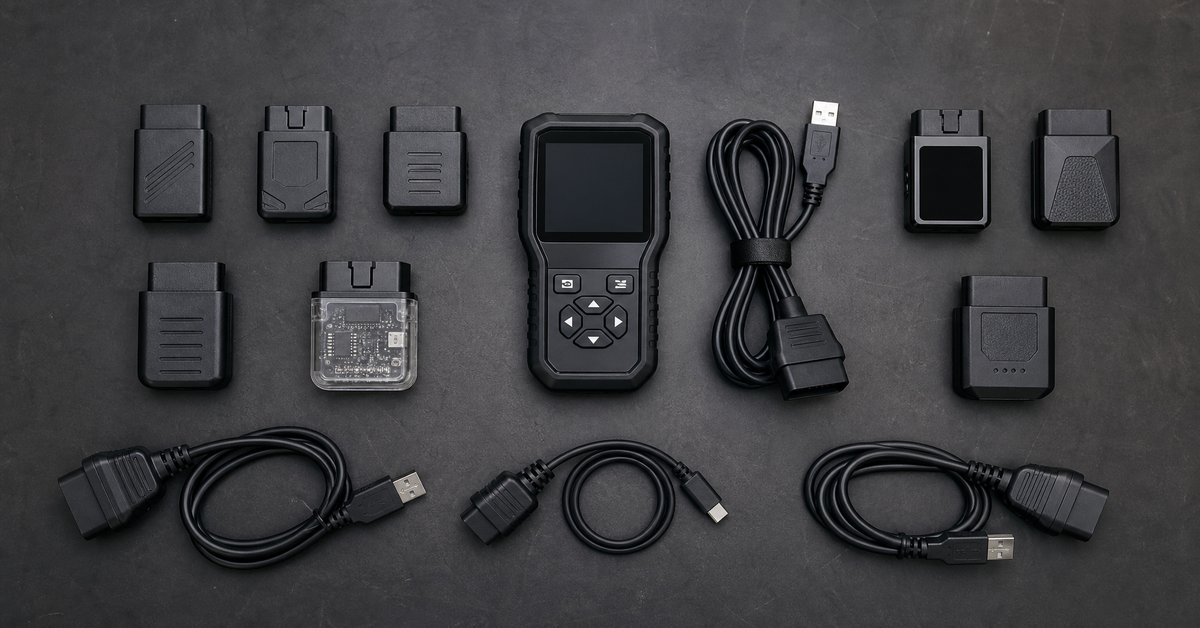
These are small dongles that plug into your OBD2 port and connect wirelessly to your phone or laptop via Bluetooth. They work with third-party apps and give you access to standard OBD2 data — fault codes, live sensor readings, and basic vehicle information.
What they can do:
– Read and clear engine fault codes (generic OBD2)
– View live sensor data (RPM, temperature, fuel trims, O2 sensors, etc.)
– Monitor vehicle performance in real time
– Basic service functions through compatible apps
What they can’t do:
– Access manufacturer-specific systems (ABS, airbag, gearbox, body modules)
– Perform coding, programming, or adaptations
– Reset airbag crash data or immobilizer modules
SpeedXperts options:
– Vgate iCar Pro 2S — €51.90 — Best all-rounder, EV/hybrid support, Bluetooth 5.3
– Vgate vLinker MC+ — Best for BMW BimmerCode users
Category 2: Brand-Specific Diagnostic Tools
Best for: Owners or mechanics who work primarily on one vehicle brand and need deep, manufacturer-level access
These tools communicate using the manufacturer’s own protocols, giving you access to every electronic module in the vehicle — not just the engine. They’re the right choice when you need to diagnose ABS faults, reset airbag lights, code modules, or access immobilizer systems on a specific brand.
What they can do:
– Full multi-system diagnostics (engine, gearbox, ABS, airbag, body, HVAC, etc.)
– Live data across all modules
– Component activation and output tests
– Coding, adaptations, and module programming
– Immobilizer and key functions (on supported models)
– Service resets and calibrations
SpeedXperts options by brand:
| Brand | Recommended Tool | Price |
|---|---|---|
| Opel / Vauxhall | OPCOM PIC18F458 | €78.90 |
| Renault / Dacia (full diagnostics) | Canclip VCI3 V240 | €244.90 |
| Renault / Dacia (specific tasks) | Renolink 1.99 | €57.80 |
| Mercedes / Toyota / Subaru | OpenPort 2.0 | €48.90 |
Category 3: Multi-Brand Workshop Scanners
Best for: Independent workshops and mechanics who work on multiple vehicle brands
These tools cover a wide range of makes and models with a single interface. They’re not as deep as brand-specific tools for any one manufacturer, but they give you solid diagnostic coverage across most of your customer vehicles.
What they can do:
– Multi-system diagnostics across most European, American, and Asian vehicles
– Fault codes, live data, and component activation
– ECU programming on supported vehicles
– Truck diagnostics (with appropriate cable set)
SpeedXperts options:
– Delfi DS150e 2PCB — From €97.60 — Cars and trucks, Bluetooth, 2021 software
Category 4: ECU Programmers and Specialist Tools
Best for: Advanced users, auto electricians, and specialists who need chip-level access
These tools go beyond diagnostics into programming — reading and writing ECU data, resetting airbag modules, correcting dashboards, and programming keys. They require technical knowledge and are not suitable for beginners.
SpeedXperts options:
– Carprog V13.77 — ECU, airbag, dashboard, key programming
How to Match Your Situation to the Right Tool
| Your Situation | Recommended Tool |
|---|---|
| I want to read fault codes on my car from my phone | Vgate iCar Pro 2S |
| I have a BMW and want to use BimmerCode | Vgate vLinker MC+ |
| I have an Opel/Vauxhall with ABS or airbag faults | OPCOM PIC18F458 |
| I need full Renault dealer diagnostics | Canclip VCI3 V240 |
| I need to clear airbag crash data on a Renault | Renolink 1.99 |
| I work on Mercedes, Toyota, or Subaru with OEM software | OpenPort 2.0 |
| I work on multiple brands in a workshop | Delfi DS150e 2PCB |
| I need to reset airbag modules or repair ECUs | Carprog V13.77 |
Common Mistakes to Avoid
Buying a generic scanner for a brand-specific problem. If your ABS light is on or your airbag won’t reset, a generic OBD2 scanner won’t help. You need a brand-specific or multi-brand tool with full system access.
Choosing a tool based on price alone. A €20 Bluetooth dongle is fine for reading engine codes. It’s useless for coding, programming, or accessing non-engine modules. Match the tool to the job.
Ignoring vehicle compatibility. Always check that the tool supports your specific vehicle model, year, and ECU type before ordering. SpeedXperts includes compatibility notes on every product page, and free setup support is available if you’re unsure.
Frequently Asked Questions
What’s the difference between OBD2 and manufacturer-specific diagnostics?
OBD2 is a standardised protocol that covers engine-related data on all vehicles sold in the EU from 2001 (petrol) and 2004 (diesel). Manufacturer-specific diagnostics go beyond this standard to access all other modules in the vehicle using the manufacturer’s own protocols.
Can one tool do everything?
No single tool covers every function for every vehicle. Multi-brand scanners give broad coverage; brand-specific tools give deeper access for one brand; programmers handle tasks that scanners can’t. Most workshops use a combination.
Do I need a laptop or can I use my phone?
Bluetooth OBD2 adapters work with smartphones. Most professional diagnostic tools (OPCOM, Canclip, DS150e, etc.) require a Windows laptop.
Is free setup support really included?
Yes. SpeedXperts includes free setup support with every diagnostic tool purchase. If you have questions about installation or compatibility, their team can help.
Browse All Diagnostic Tools
View the full range of diagnostic tools at SpeedXperts — from Bluetooth OBD2 adapters to dealer-level platforms and ECU programmers. Every purchase includes free setup support and a 30-day return window.