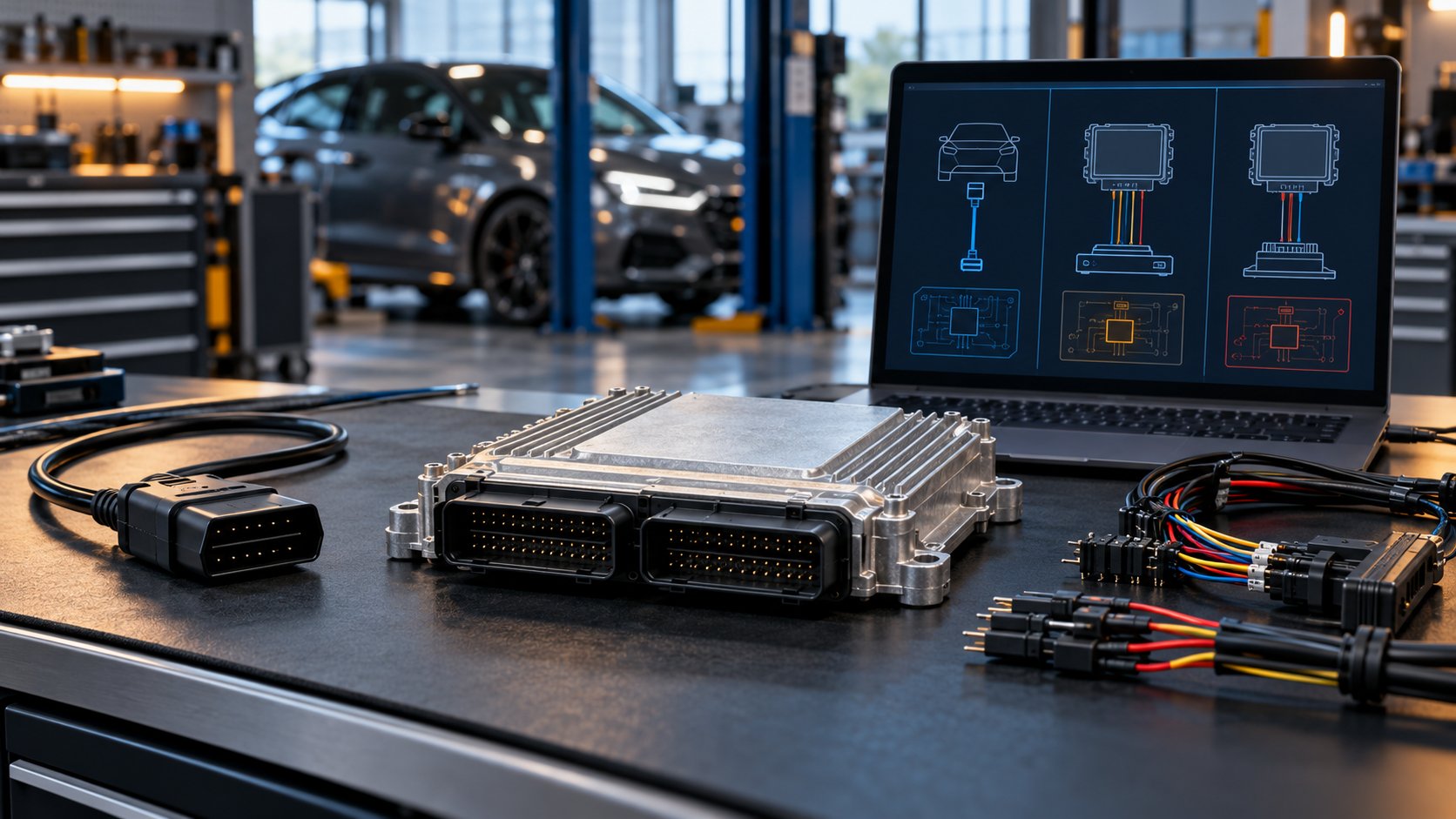
KESS and K-TAG are often sold together, but they address different ways of communicating with an engine or transmission control unit. In the two-tool workflow, KESS is associated with reading and writing through the vehicle’s diagnostic port, while K-TAG is used when direct access to the control unit is required. The correct choice depends on the exact ECU and supported protocol, not simply the vehicle badge.
This KESS vs KTAG comparison explains OBD, Bench and Boot access. ECU programming can disable a control unit if power, communication or file integrity fails. Work only on vehicles you are authorized to service, follow the protocol-specific manual, and use suitable equipment.
KESS vs K-TAG at a glance
| Question | KESS-style workflow | K-TAG-style workflow |
|---|---|---|
| Typical connection | Through the vehicle’s OBD diagnostic port | Directly to a removed control unit |
| ECU removal | Usually not required for a supported OBD protocol | Usually required |
| ECU opening | No | Depends on whether the protocol is Bench or Boot |
| Best fit | Supported, non-invasive read/write work | Direct access, recovery, cloning or fuller memory access where supported |
| Main dependency | Exact vehicle, ECU, software version and OBD protocol | Exact ECU family, direct-connection protocol, adapters and procedure |
These are working distinctions rather than blanket capability promises. Modern professional hardware can combine all three modes. The current official Alientech KESS3 platform, for example, supports OBD, Bench and Boot in one tool. That does not add protocols to an older KESS or K-TAG unit.
What OBD programming means
In OBD mode, the programming interface connects to the diagnostic socket while the ECU remains installed. Alientech defines this mode as reading and writing through the diagnostic port. When the exact ECU and operation are supported, this is normally the quickest and least invasive route because the control unit stays sealed and connected to the vehicle.
OBD access is not universal. Two cars with the same model name can contain different ECU hardware or software. Some protocols offer a complete read, others use a virtual read, and some permit writing only after a separate unlock operation. The Alientech vehicle list illustrates how supported functions are recorded per control unit and connection mode. A general model-year claim is not a substitute for identifying the ECU.
Bench mode: direct connection without opening the ECU
Bench mode connects to the control unit through its external connector after the unit is removed from the vehicle. In current Alientech terminology, reading and programming happen through that connector without opening the ECU case. It offers direct communication while preserving the factory seal, provided the ECU and required operation have a supported Bench protocol.
Bench is useful when OBD access is unavailable or when the protocol calls for direct communication. It still demands the correct harness, pin assignment, stabilized power and protocol instructions. “On the bench” does not mean that every loose ECU can be connected safely with a generic wiring pattern.
Boot mode: access with the control unit open
Boot mode works directly with an opened control unit. Official KESS3 documentation describes it as full access to internal memories with the ECU open. Depending on the ECU family and supported function, this may be used for deeper reading, recovery or cloning work. Older K-TAG workflows may also be described with names such as Boot, Tricore, BDM or JTAG; those terms identify specific communication families rather than interchangeable procedures.
Opening an ECU adds physical risk. A damaged case, contaminated seal, incorrect probe placement or unsuitable power connection can turn a programming task into a hardware repair. Use the exact manual, accessories and ESD-safe workshop process specified for the protocol. This article intentionally does not provide pinouts or bypass steps.
Programming is different from diagnostics and file editing
A programmer transfers data to and from a supported control unit. A diagnostic scanner reads fault codes, live data and system status across vehicle modules. Some modern platforms add diagnostic functions, but an older KESS/K-TAG package should not automatically be treated as a full-system scan tool. Browse the current SpeedXperts diagnostic-tool category separately if the main job is fault finding.
Reading and writing are also separate from changing calibration data. A tool can retrieve a file without providing the knowledge or software needed to modify it correctly. Keep the original read, identify the file source and checksum handling, and use a lawful, validated calibration workflow. For manufacturer software updates rather than calibration work, a supported J2534 route may be more appropriate; see the OpenPort 2.0 PassThru guide for that distinction.
How to choose the correct access mode
- Identify the control unit. Record the ECU or TCU manufacturer, part number, hardware and software identifiers before selecting a protocol.
- Check the actual protocol list. Confirm whether the intended operation is read, virtual read, write, unlock, recovery or clone, and which connection mode supports it.
- Read the protocol manual. Required cables, adapters, power arrangements and preparation vary by ECU.
- Protect the power supply. Alientech states that voltage stability is a basic rule for safe programming because losing power during a write can damage the control unit.
- Preserve evidence. Save identification data, the original file and a diagnostic scan before writing. Confirm the result and rescan after the procedure.
Do not choose Boot merely because it sounds more capable. Use the least invasive supported mode for the required operation. If OBD is fully supported, removing and opening the ECU adds work and risk without an automatic benefit. If the protocol requires direct access, an OBD-only tool cannot substitute for it.
What the current SpeedXperts kit includes
The live KESS V5.017 and K-TAG V7.020 kit combines the two older interfaces with KSuite V2.80. The listing describes OBD reading and writing for KESS and direct Tricore/BDM-related work for K-TAG. It also tells users not to update the package online. Treat it as the specific legacy configuration advertised on that page, not as the current official KESS3 platform or a promise of support for every vehicle.
Before buying, compare the ECU identifier and intended operation with the supplied protocol list, confirm the included adapters, and understand the package’s update and support model. Broad phrases such as “wide coverage” cannot answer whether one exact ECU can be read, written or recovered.
KESS vs KTAG FAQ
Can KESS do Bench or Boot work?
Capability depends on the hardware generation and activated protocol. The older split-tool comparison associates KESS with OBD and K-TAG with direct access. Current KESS3 hardware combines OBD, Bench and Boot, but that does not change an older unit’s capabilities.
Does K-TAG always require opening the ECU?
No. A Bench protocol connects through the external ECU connector without opening the case. A Boot protocol requires the unit to be opened. Follow the exact supported protocol rather than using the terms interchangeably.
Which mode is safest?
The safest choice is the least invasive mode that officially supports the exact ECU and intended operation, used with stable power and the correct procedure. No connection mode makes an unsupported file or interrupted write safe.
The practical answer to KESS vs K-TAG is therefore protocol first, tool second. Identify the control unit, confirm the supported operation and choose OBD, Bench or Boot only after the official procedure specifies the connection.