OPCOM for Opel: What It Can Do Beyond a Generic OBD2 Scanner
If you own an Opel or Vauxhall and you’ve been relying on a generic OBD2 scanner, you’re probably only seeing a fraction of what’s actually going on in your car. Generic scanners read engine fault codes. That’s useful — but it’s a long way from what a dealer-level tool can do.
The OPCOM PIC18F458 CAN-BUS diagnostic interface is one of the most widely used Opel-specific tools available outside of a dealership. It’s designed specifically for GM/Opel platforms, and it gives you access to systems that a standard OBD2 reader simply cannot reach. This guide explains what OPCOM actually does, who it’s for, and whether it’s the right tool for your situation.
What Makes OPCOM Different from a Generic OBD2 Scanner?
A generic OBD2 scanner communicates with your car through a standardised protocol. It reads engine-related fault codes, shows some live sensor data, and clears warning lights. That’s it.
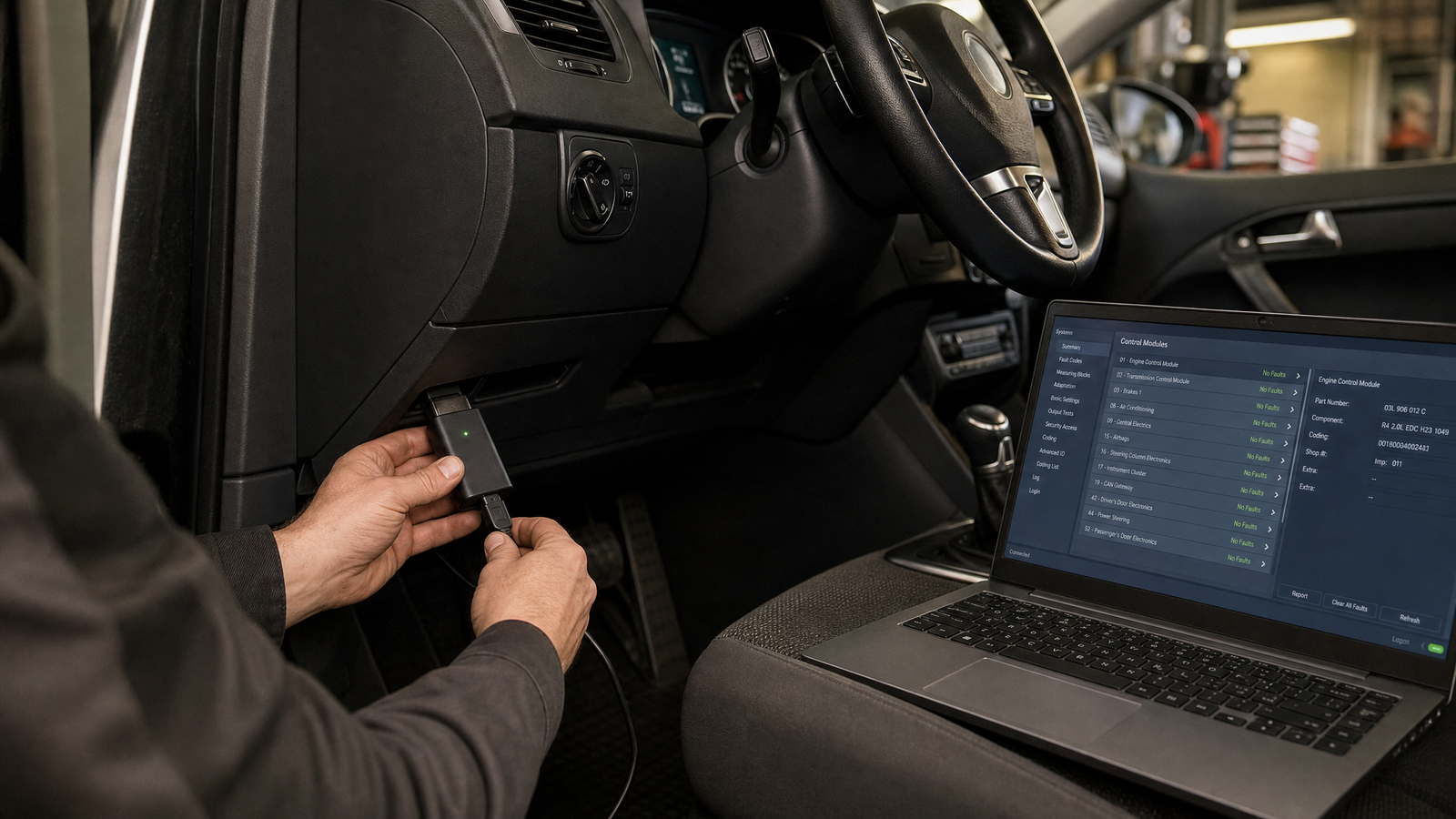
OPCOM communicates using Opel’s own manufacturer protocols — CAN-BUS, ISO9141, and KWP2000 — which means it can talk to nearly every electronic module in the car, not just the engine ECU.
That includes:
- ABS and ESP brake systems
- Airbag and SRS modules
- Body Control Module (BCM)
- Instrument cluster (IPC)
- Transmission control (TCM)
- Climate control (HVAC)
- Immobilizer and CIM (Column Integration Module)
- Parking assist, steering, and lighting modules
If your ABS light is on, your airbag warning won’t clear, or your car won’t start after a module swap — a generic scanner won’t help you. OPCOM will.
Which Opel and Vauxhall Models Does It Support?
OPCOM covers most Opel and Vauxhall passenger cars from approximately 1990 to 2021. The 2021 software version specifically extends coverage to vehicles up to 2021.
| Model | Generations Covered |
|---|---|
| Astra | F, G, H, J, K |
| Corsa | B, C, D, E |
| Vectra | B, C |
| Zafira | A, B, Tourer |
| Insignia | A |
| Meriva | A, B |
| Mokka | First generation |
| Antara | All |
| Vivaro / Movano | Supported |
Some GM-platform Saab vehicles (9-3, 9-5) may also be partially supported, though functions vary depending on the ECU platform.
Key Features of the OPCOM PIC18F458
Firmware V1.70 — Why It Matters
Many cheap OPCOM clones use firmware V1.99, which is widely known to be unstable and prone to bricking. The SpeedXperts OPCOM uses firmware V1.70, which supports proper firmware flashing and is significantly more reliable for everyday use.
Read and Clear Fault Codes Across All Modules
OPCOM reads manufacturer-specific Opel/Vauxhall diagnostic trouble codes — not just generic OBD2 codes. You can see current faults, historic faults, and intermittent communication errors, then clear them after repairs and monitor whether they return.
Live Data Monitoring
View up to 8 live parameters simultaneously, including:
- Engine RPM and coolant temperature
- Turbo boost pressure
- Fuel trims and injector corrections
- MAF/MAP sensor readings
- Oxygen sensor voltages
- DPF soot load and regeneration status
- Wheel speed sensors
This is particularly useful for diagnosing misfires, turbo issues, DPF problems, and fuel system faults without guessing.
Output Tests and Component Activation
You can activate individual components directly from the software to test whether a fault is electrical, mechanical, or wiring-related. This includes cooling fans, fuel pumps, injectors, EGR valves, ABS pumps, glow plugs, and HVAC flap motors.
Immobilizer and Key Programming
One of OPCOM’s most valuable features is deep immobilizer access. You can:
- Program new keys and learn remote controls
- Reset immobilizer modules after ECU or BCM replacement
- Pair replacement modules to the vehicle
- Read immobilizer status and match used modules
This is essential after lost keys, ECU swaps, or instrument cluster replacements — situations where a generic scanner is completely useless.
Coding and Programming
OPCOM supports coding operations including airbag module coding (SAB6/SAB8), injector coding on supported diesel engines, CIM configuration, and variant coding. You can also enable or disable certain vehicle features such as DRL behaviour, comfort closing, and warning chimes.
Service and Maintenance Functions
Reset oil service intervals on Astra, Zafira, Corsa, Meriva, and Insignia. Monitor DPF soot accumulation and perform forced regeneration on supported ECUs. Calibrate steering angle sensors after alignment or steering repairs, and cycle ABS valves after brake work.
What Problems Does OPCOM Help Solve?
Here are the most common situations where Opel owners reach for OPCOM instead of a generic scanner:
- Check engine light with no clear cause from a basic scanner
- ABS or ESP warning that won’t clear
- Airbag light after seat sensor or pretensioner work
- Car won’t start after ECU or BCM replacement
- DPF warning and regeneration failures on diesel models
- Turbo underboost or overboost faults
- Injector imbalance on diesel engines
- CAN-BUS communication errors between modules
What’s in the Box and What Do You Need?
The SpeedXperts OPCOM package includes the diagnostic interface, a USB cable, and a CD with drivers and software. After purchase, you receive a guide and download link for the OPCOM 2021 software, along with an installation video and full technical support.
You’ll need a Windows laptop. The tool works best on Windows XP or Windows 7 (32-bit), but it also runs on Windows 10 and 11 with Windows Security disabled during installation. Do not update the tool online — doing so will damage the interface.
Is OPCOM Right for You?
OPCOM is a strong choice if you own one or more Opel or Vauxhall vehicles and want dealer-level access without dealer prices. It’s used by independent workshops, mobile mechanics, and serious DIY owners who need more than fault code reading.
If you’re working on a single car and only need to read and clear engine codes occasionally, a simpler Bluetooth OBD2 adapter like the Vgate iCar Pro 2S may be enough. But if you’re dealing with module faults, immobilizer issues, or need coding capability, OPCOM is the tool that will actually solve the problem.
Frequently Asked Questions
Does OPCOM work on Windows 10 and Windows 11?
Yes, but you need to disable Windows Security during installation. The tool works best on Windows XP or Windows 7 (32-bit) for maximum compatibility.
What is the difference between OPCOM V1.70 and V1.99?
V1.70 supports proper firmware flashing and is significantly more stable. V1.99 is a widely circulated unstable firmware version that is prone to bricking the interface. The SpeedXperts OPCOM uses V1.70.
Can OPCOM program keys and reset the immobilizer?
Yes. OPCOM supports key learning, remote programming, immobilizer reset, and module pairing on supported Opel/Vauxhall vehicles.
Does OPCOM work on Saab vehicles?
Some GM-platform Saab models (9-3, 9-5) may be partially supported. Functions vary depending on the ECU platform used in the specific vehicle.
Can I update OPCOM online?
No. Do not update OPCOM online — this will damage the interface. Software updates are provided separately through SpeedXperts after purchase.
Where to Get OPCOM for Opel
The OPCOM Diagnostic Tool for Opel is available at SpeedXperts for €78.90, with free setup support included after purchase and a 30-day return window. If you’re working on Opel or Vauxhall vehicles and need more than a basic code reader, this is one of the most capable tools available at this price point.
Browse the full range of diagnostic tools at SpeedXperts to compare options for other vehicle brands.